
New Tool - Traceroute / Ping Visualizer
Contents
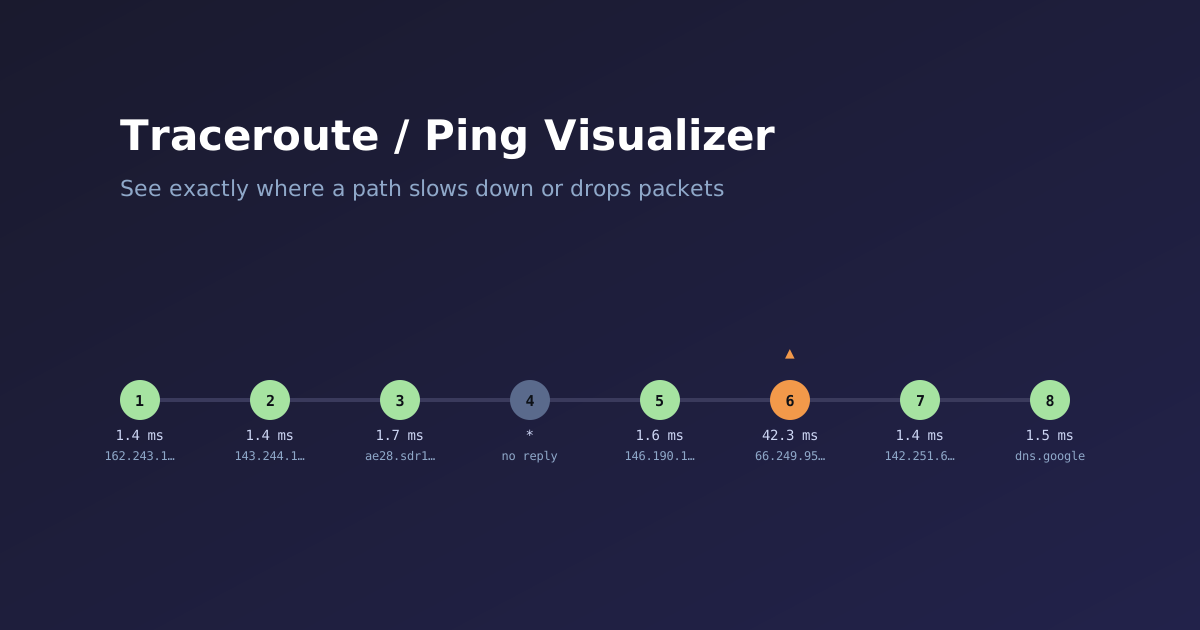
New on the Network Tools page: a Traceroute / Ping Visualizer. Paste raw output from traceroute, Windows tracert, or ping and it turns the wall of text into something you can actually read at a glance — a per-hop latency chain or a per-packet chart, with timeouts, latency jumps, and dropped packets flagged automatically.
What It Does
It auto-detects which of the four formats you pasted — Linux/Mac traceroute, Windows tracert, Linux ping, or Windows ping — and renders the right visualization:
- Traceroute/tracert: a hop chain with each hop colored by latency, dashed red connectors through any hop that timed out, and a marker on any hop where latency jumps sharply relative to the one before it. A full table (hop, host, IP, individual RTTs, average) sits underneath for the exact numbers.
- Ping: a per-packet bar chart colored the same way, with dropped packets shown as a red X instead of a bar, plus sent/received/loss %, min/avg/max, and jitter computed directly from the samples — not just whatever summary line the tool happened to print (some don’t print one at all).
A few things it gets right on purpose:
* * *gets explained, not just shown. A timed-out hop almost always means that router is rate-limiting or filtering its own ICMP replies — it does not mean your actual traffic is being dropped there. The tool calls this out directly instead of leaving you to assume the worst.- A single slow hop that clears on the next one is usually noise. Routers frequently deprioritize generating a TTL-exceeded reply below actually forwarding your packet, which shows up as one oddly slow hop with nothing wrong on either side of it. The tool flags the jump but doesn’t call it a verdict.
- Isolated vs. clustered packet loss get different treatment. One dropped ping in an otherwise clean run isn’t usually worth chasing; several in a row usually is — the tool tells you which pattern you’re looking at.
Everything runs entirely in your browser — nothing is uploaded anywhere.