
A few days ago I received an email from Juniper that
Junos Genius had been relaunched. If you have never used the old version, no worries as I rarely used it as well. With the new version, you have to setup a new account anyway. This re-launch however, looks a bit more interesting as it is more geared towards online classes and training and education. In fact, you can actually purchase real courseware (very limited at launch) on this site and attend a “virtual presentation” of the material.
There are two variants of Junos Genius available. One is free and comes with limited content, the other is subscription based and has some additional content. You can access the new Junos Genius at
www.junosgenius.net. Besides just the web interface, you can also get an iOS (
iPad and
iPhone) and
Android app to help you learn wherever or whenever you want.
[slideshow_deploy id=’4993′]
The Free version grants you access to some practice tests (JNCIA-Junos, JNCIS-ENT, and JNCIS-SP), over 80 learning bytes (short and concise video tips), and hardware overview and deployment courses. While the content is still limited, it is a nice start and looks to have a promising future.
[slideshow_deploy id=’4968′]
I took a brief look at the free practice tests and was pleasantly surprised. There were 65 questions in total that reflected what one will find on the actual test. They were presented in a similar way to the actual test and do test your knowledge (I got a bunch of Binary questions, yech!). If you are planning to take any one of those tests soon, the free version can help you gauge yourself on the material that is tested.
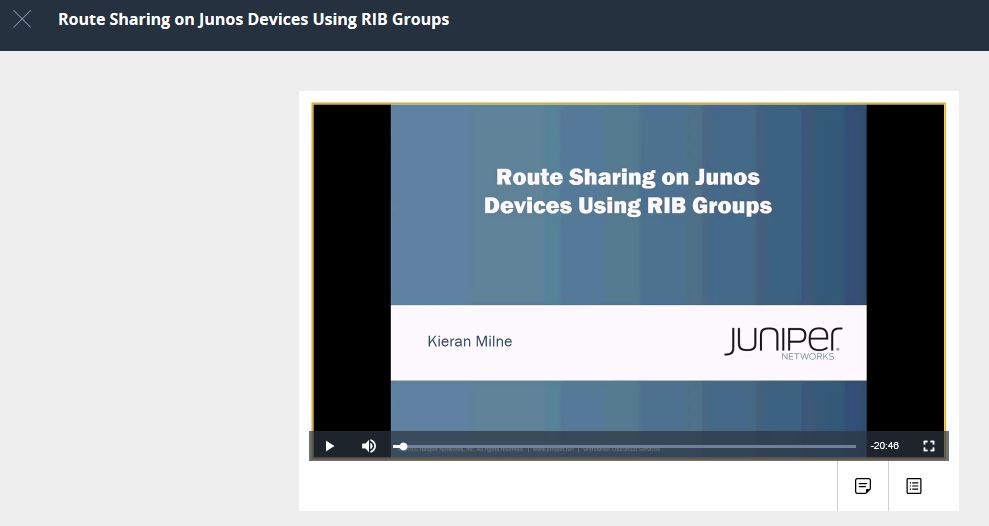
I also took a look at one of the free Learning Bytes, _Route Sharing on Junos Devices Using RIB Groups._ It can be a complicated to understand at first and is one that many have a problem with. I was impressed to see it as one of the free Learning Bytes. I won’t go into detail as to what it is, I will save that for to watch and learn on Junos Genius (or perhaps a future blog post). It was nice to see it there – it can be a tough one for people to grasp.
The subscription model is available in 6-month and 12-month options currently priced at $200 and $250 respectively. The subscription provides you with an additional 80+ Learning Bytes (160+ in total) and additional JNCP practice tests (JNCIS-SEC, JNCIS-SDNA, JNCIP-ENT, JNCIP-SP, JNCIP-SEC, and JNCIP-DC).
There are plenty of free preview videos for the paid courses, so you don’t have to go blindly to see what is available. They play the first few minutes of the video for you to see what they cover. From looking around, it is easily worth the $250/yr for the content if you want to learn new Juniper skills.
[slideshow_deploy id=’4969′]
Also, if you are planning to take any one of the mentioned JNCIS ($300/test) or JNCIP ($400/test) tests, spending the $200 or $250 for this subscription is not a bad option to help ensure you are ready. While they won’t guarantee a pass, the tests should help you gauge your level of competence and readiness for the test.
Lastly, there are some actual courses that you can purchase on Junos Genius. These are separate from the Plus subscription, these are actual classroom type courses. Currently, they offer:
- Introduction to the Junos Operating System (IJOS)
- Junos Intermediate Routing (JIR)
- Junos MPLS Fundamentals (JMF)
[slideshow_deploy id=’4971′]
All these courses are the full courseware you would get if you attended in-person training and you also do get access to the labs remotely for the course. The prices for these courses is $5 more than attending an instructor-led course of the same title. One other important item to be aware of is that you only get access to the courseware for 30 days and 20 hours of lab access. You do not get any physical books, everything is delivered via the Junos Genius portal.
In my opinion that is very odd – the price is actually $5 more for the recorded content for some reason. The 30-day limitation on course access and 20 hours of lab access seems a bit light to me as well. I hope they consider extending the access to at least 120 days and increase the lab time to 40 hours. I also do not know how they course books are delivered; are they secured PDF; are you able to also order them if you want? I do not know the answers and if I find out I will be sure to update the post.
Overall though, if you want to learn Juniper or increase your Juniper skills, I would be sure to go and sign up for Junos Genius and kick the tires. I would focus on the free courses if you are starting out, and subscription if you are going for JNCIP level certifications and knowledge.
Update Sept 2017 – Juniper reached out to me on the price difference. The list price of Juniper classes is $2400. There is a training partner that discounts their classes by $5 and that is why we see the price difference.

 Earlier Cisco dropped the band information, and now we have the bag information too!
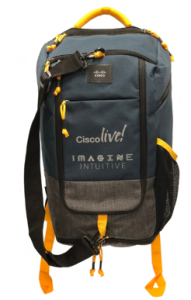
The bag this year is a first that I can recall, it is a 2 in 1 backpack convertible into a duffle bag! The strap pictured on the front of the image below is detachable, yet when attached the bag can be used as a duffle!
Earlier Cisco dropped the band information, and now we have the bag information too!
The bag this year is a first that I can recall, it is a 2 in 1 backpack convertible into a duffle bag! The strap pictured on the front of the image below is detachable, yet when attached the bag can be used as a duffle!
 In case you are wondering what Backpack convertible into a duffle bag is, I found some good pics over on eBags of one.
Backpack mode:
In case you are wondering what Backpack convertible into a duffle bag is, I found some good pics over on eBags of one.
Backpack mode:
 Transform and duffle bag mode!


 Are you looking to get started with Juniper certification but having a hard time finding the time to travel to a test location, get signed in, and actually take the test? Is your closest testing location too far for you? Or are you just too lazy to go take the test (always have an excuse)? Well, Juniper has a solution to that problem!
Juniper has finally announced that they now support
Are you looking to get started with Juniper certification but having a hard time finding the time to travel to a test location, get signed in, and actually take the test? Is your closest testing location too far for you? Or are you just too lazy to go take the test (always have an excuse)? Well, Juniper has a solution to that problem!
Juniper has finally announced that they now support  Juniper has finally released the dates for 4th annual partner and customer Juniper NXTWORK conference – and the event has grown so much that we now get to go to a new location!
This year the event is October 9th – 11th at the Mandalay Bay in Las Vegas, NV. Can you believe it, we are going to VEGAS BABY! The Mandalay Bay has hosted many very notable technical conferences over the years, and now they get to add Juniper Nxtwork to that list.
Registration is not open yet, so save the date and hope to see you in October!
_**May 2018 Update** – Juniper has posted the official announcement as well as a registration link. _
_Official Page: https://fryguy.me/2rFmv1d_
_Registration: https://fryguy.me/2wO20Ft_
Juniper has finally released the dates for 4th annual partner and customer Juniper NXTWORK conference – and the event has grown so much that we now get to go to a new location!
This year the event is October 9th – 11th at the Mandalay Bay in Las Vegas, NV. Can you believe it, we are going to VEGAS BABY! The Mandalay Bay has hosted many very notable technical conferences over the years, and now they get to add Juniper Nxtwork to that list.
Registration is not open yet, so save the date and hope to see you in October!
_**May 2018 Update** – Juniper has posted the official announcement as well as a registration link. _
_Official Page: https://fryguy.me/2rFmv1d_
_Registration: https://fryguy.me/2wO20Ft_


 In just over two months it will be time for the Juniper customer summit known as
 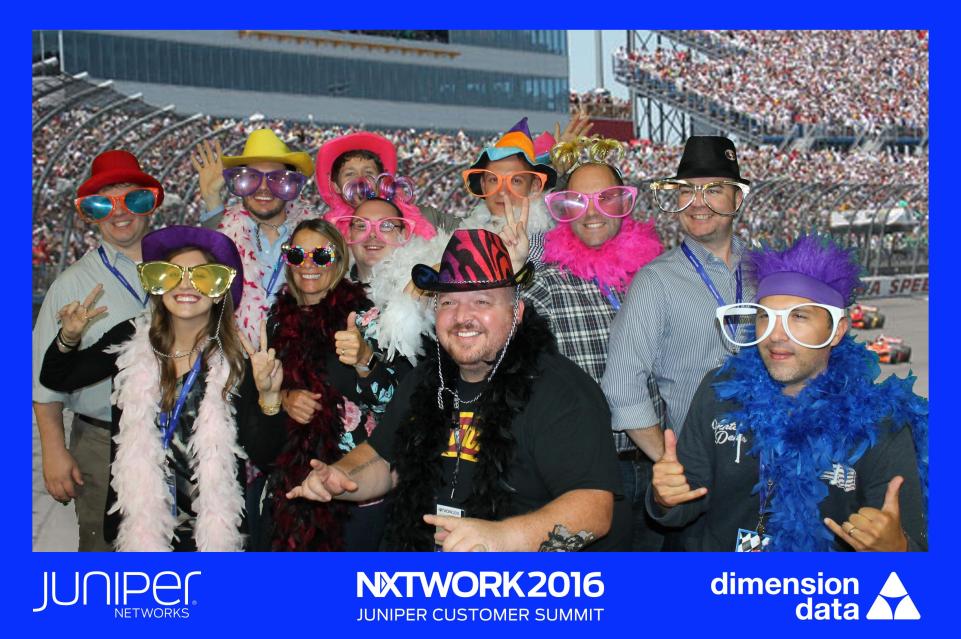 This event is similar to what other vendors offer for a conference (Cisco, VMWare, Dell/EMC) yet much more intimate. There are
  I can imagine that is how I looked when I got my “new” Juniper SRX from (insert favorite auction site) and booted it the first time. All ready to play with my new toy – lab some new ideas – and boom, it has a password on it already. Grrrr….
Since I had to recover the root password, figured I would post the procedure here in case others are looking for it. Not only in case others are looking for it, the next time that I need it as well! 🙂
So the first thing we need to do here is to make sure the device is powered off and we have a console cable connected to it. I will assume you know how to use your terminal program and access the console already for this post otherwise I suspect you would not be here.
Now that you are connected we can go ahead and power the SRX on and watch it boot. In order to boot the system into single user mode, we need to press the space bar when prompted. It will be right at this point in the boot process – right when you see _Hit [Enter} to boot immediately, or space bar for command prompt. _Here you need to press the SPACE BAR quick to interrupt the boot process.
I can imagine that is how I looked when I got my “new” Juniper SRX from (insert favorite auction site) and booted it the first time. All ready to play with my new toy – lab some new ideas – and boom, it has a password on it already. Grrrr….
Since I had to recover the root password, figured I would post the procedure here in case others are looking for it. Not only in case others are looking for it, the next time that I need it as well! 🙂
So the first thing we need to do here is to make sure the device is powered off and we have a console cable connected to it. I will assume you know how to use your terminal program and access the console already for this post otherwise I suspect you would not be here.
Now that you are connected we can go ahead and power the SRX on and watch it boot. In order to boot the system into single user mode, we need to press the space bar when prompted. It will be right at this point in the boot process – right when you see _Hit [Enter} to boot immediately, or space bar for command prompt. _Here you need to press the SPACE BAR quick to interrupt the boot process.