
IPsec VPN Configuration Generator

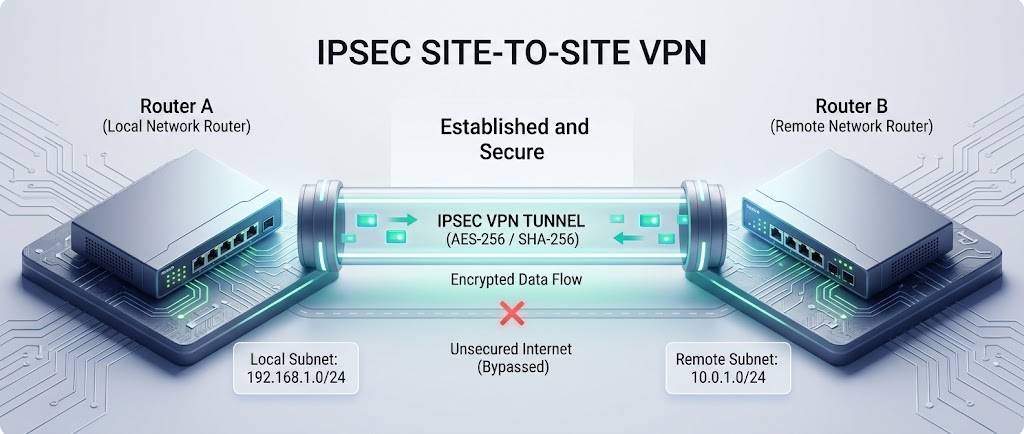
IPsec site-to-site VPN tunnel diagram between Router A and Router B, AES-256/SHA-256 encrypted, local subnet 192.168.1.0/24 to remote subnet 10.0.1.0/24
Back to Tools

Generate site-to-site IPsec VPN configs for Cisco IOS/IOS-XE, ASA, FortiGate, Palo Alto, Juniper SRX, strongSwan/VyOS, UniFi, and pfSense/OPNsense — for one side or both at once. The real value here is the policy-based ↔ route-based interop case: when one side is policy-based (proxy-ID per subnet pair) and the other is route-based (defaults to a catch-all 0.0.0.0/0 selector), phase 2 negotiation fails unless the route-based side's proxy-IDs/traffic-selectors are narrowed to match the policy-based side's exact subnet pairs. This tool computes that automatically and warns you when it kicks in. Route-based sides also get an auto-computed tunnel MTU and TCP MSS clamping — ESP overhead eating into the path MTU is the other classic way an IPsec tunnel silently breaks large-packet traffic while ping/SSH keep working fine. Everything runs in your browser — nothing is sent anywhere.

IKE / IPsec Parameters
Phase 1 (IKE SA)
Phase 2 (IPsec SA)
Protected Subnets
Enter each subnet pair once — "Side A" and "Side B" below are mirrored automatically into the correct local/remote direction for each side's config.
Generate
Side A
Side B

How the same AES-256/SHA-256/DH14 proposal is spelled per platform — the single most common source of "phase 1 just won't come up" between two engineers who are actually configuring the same algorithms.

ConceptCisco IOSASAFortiGatePalo AltoJuniper SRXstrongSwan
AES-256aes 256aes-256aes256aes-256-cbcaes-256-cbcaes256
SHA-256sha256sha-256sha256sha256hmac-sha-256-128sha256
DH Group 14group14group1414group14group14modp2048
AES-256-GCMesp-gcm 256aes-gcm-256aes256gcmaes-256-gcmaes-256-gcmaes256gcm16
Policy-basedThe IPsec SA is scoped directly to subnet pairs pulled from an ACL/policy — each pair negotiates its own proxy-ID. No tunnel interface involved; matching traffic is pulled into the VPN by the ACL itself.
Route-basedA virtual tunnel interface (VTI / st0 / ipsec interface) carries the SA. Routing (static routes or a routing protocol) decides what traffic enters the tunnel, so the natural default proxy-ID is 0.0.0.0/0 ↔ 0.0.0.0/0.
Mixed pairPairing the two directly fails phase 2 negotiation — the route-based side's 0.0.0.0/0 proposal doesn't match the policy-based side's specific subnet ACL entries. Fix: narrow the route-based side's proxy-ID/traffic-selector to exactly the same subnet pairs the policy-based side is proposing, one entry per pair. This tool does that automatically whenever it detects a mixed pair.
PFS group mismatchPhase 2 fails silently on many platforms if PFS is enabled on one side and disabled (or a different group) on the other.
Lifetime mismatchNot usually fatal — most platforms accept the lower of the two proposed lifetimes rather than failing negotiation. Still worth matching to avoid asymmetric rekey timing.
IKEv1 Aggressive ModeSends the peer's identity and a hash derived from the PSK in the clear during negotiation — avoid unless required for legacy/dynamic-peer interop.
NAT-TIf either peer is behind a NAT device, both sides need NAT-T (UDP 4500) enabled/auto-detected, or the tunnel won't come up at all.
GCM = combined modeAES-GCM provides encryption and integrity together — don't pair it with a separate hash/integrity algorithm; most platforms ignore or reject one.
MTU / PMTUD black holesESP overhead (50–70+ bytes) can push encapsulated packets past the physical path's real MTU. If the resulting ICMP "fragmentation needed" gets filtered anywhere en route, large-packet traffic just silently hangs while ping/SSH work fine. Lower the tunnel MTU and/or clamp TCP MSS on the tunnel interface to avoid depending on that ICMP message at all.
Overlapping subnetsIf a subnet pair overlaps with another route/tunnel already on either box, expect asymmetric or black-holed routing, not a clean negotiation failure.

Provided as-is, with no warranty of any kind. This generates a starting point, not a certified or vendor-validated configuration — exact syntax, supported algorithms, and defaults can vary by platform and software version. Always read through the generated config line by line, verify it against current vendor documentation and your own environment, and test in a lab before touching production. See the full disclaimer.